2. Click on the picture tube icon (
 )and
make sure you have your tool options open.
)and
make sure you have your tool options open.3. Change your settings to look like mine:
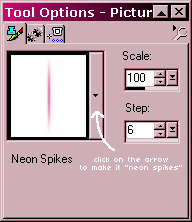
4. Now, all you have to do here is run your mouse around the picture, but leave some of the background color in..
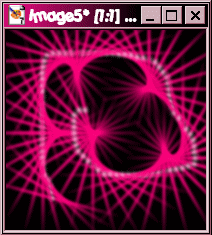
5. Once you are saticfied with the image, click on Effects >> Texture Effects >> Fur...
6. Set to these options:
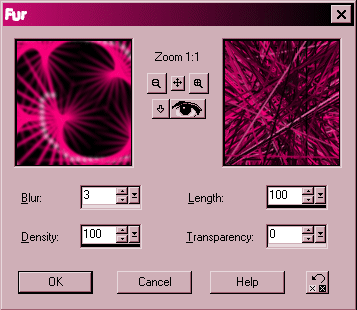
7. And click OK! You have a small example of what mine looks like above... hopefully yours looks like that too!